
shruti

MBBS
Degree

1 Years
Experience
Specializations :

testing specialization
Working At

shruti,


Verified
1+
Years of Experience
Degree
MBBS
Language
Gujarati,Hindi,English
About Doctor
dental care
Gallery
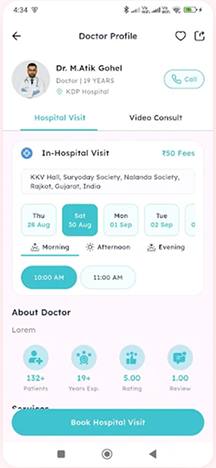
To book an appointment, simply click on the "Book Appointment" button on the doctor's profile. Select your preferred date and time from the available slots, then confirm your booking.
If online consultations are available, you will see a "Video Consultation" option. Select this option to schedule a virtual appointment.
Please bring any previous medical records, prescriptions, or test reports related to your condition. You may also upload these documents in the app under the "Medical Records" section.
Go to the "My Appointments" section in the app. Select the appointment you want to modify and choose "Cancel" or "Reschedule." Follow the prompts to complete the process.
You can pay for your appointment using credit/debit cards, UPI, net banking, or cash (if available for in-clinic visits).
The consultation fees are displayed on the doctor’s profile. Prices may vary for in-clinic and online consultations.
For online consultations, the doctor will upload a digital prescription, which you can access in the "Chat and Appointment history" section of the app. For in-clinic visits, you’ll receive a physical copy.
If you need help, click on the "Help & Support" section in the app or call our support team. Our team is here to assist you.


Download & Shorts
the MediQ App today!
Enjoy the convenience of private online
consultations with verified doctors in all specialties. Whether you need advice from a
general practitioner or a specialist, our platform connects you with qualified professionals
ready to assist you from home.